Mail client configuration
For Thunderbird and other mail applications. IMAP is recommended for use on multiple devices because messages and folders remain synchronized with the server.
Recommended: IMAP
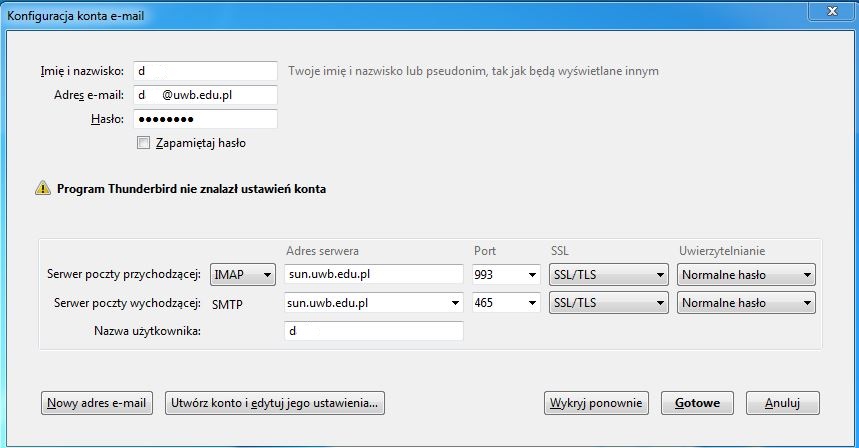
Enter the full email address, e.g. a.nowak@uwb.edu.pl. For manual configuration, use the username without @uwb.edu.pl, e.g. a.nowak.
| IMAP server | sun.uwb.edu.pl |
|---|---|
| IMAP port | 993 |
| IMAP security | SSL/TLS |
| SMTP server | sun.uwb.edu.pl |
| SMTP port | 465 |
| SMTP security | SSL/TLS |
| Authentication | Normal password / password authentication |
Example - IMAP
The interface may look different depending on the application version. The important values are server, port, encryption and username.
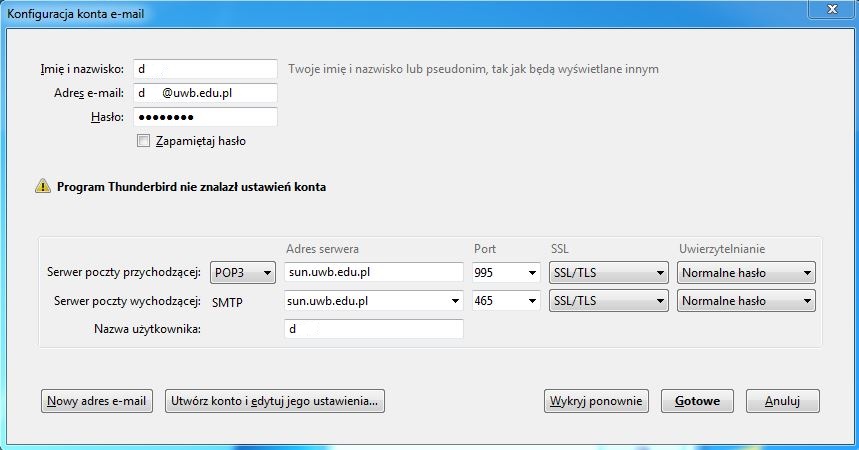
POP3 - optional
POP3 downloads mail to the local application and is less convenient when you work on multiple devices. Use it only if you specifically need this mode.
| POP3 server | sun.uwb.edu.pl |
|---|---|
| POP3 port | 995 |
| Security | SSL/TLS |
| SMTP | sun.uwb.edu.pl, 465, SSL/TLS |