
Sign in to an @pracownik.uwb.edu.pl account
This guide covers the additional Microsoft 365 / Outlook account. Authentication starts at Microsoft and then continues through the University CAS system.
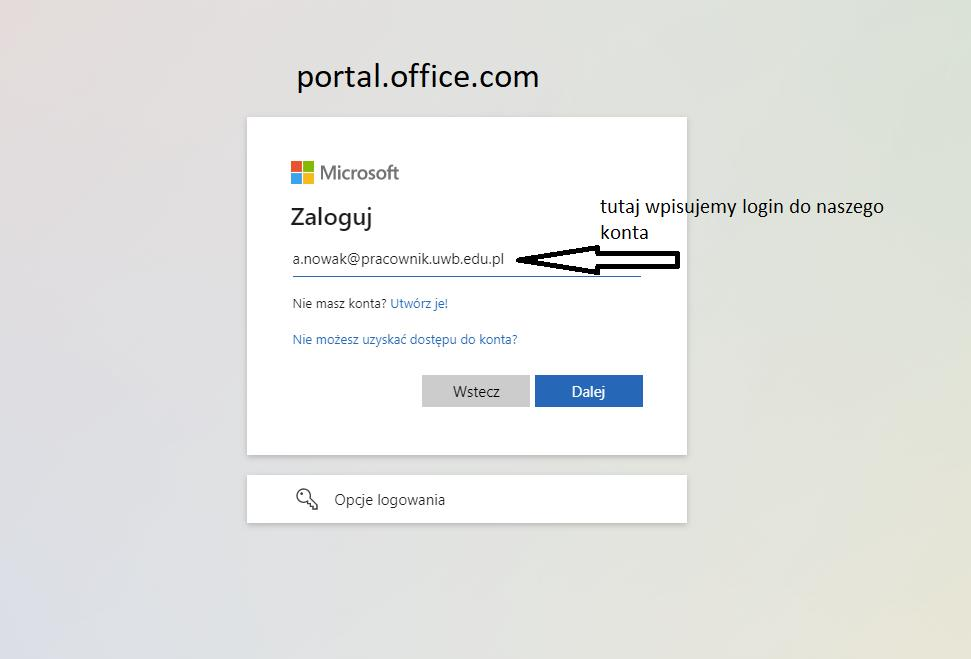
- Open portal.office.com.
- Enter your address in the @pracownik.uwb.edu.pl domain, e.g. a.nowak@pracownik.uwb.edu.pl.
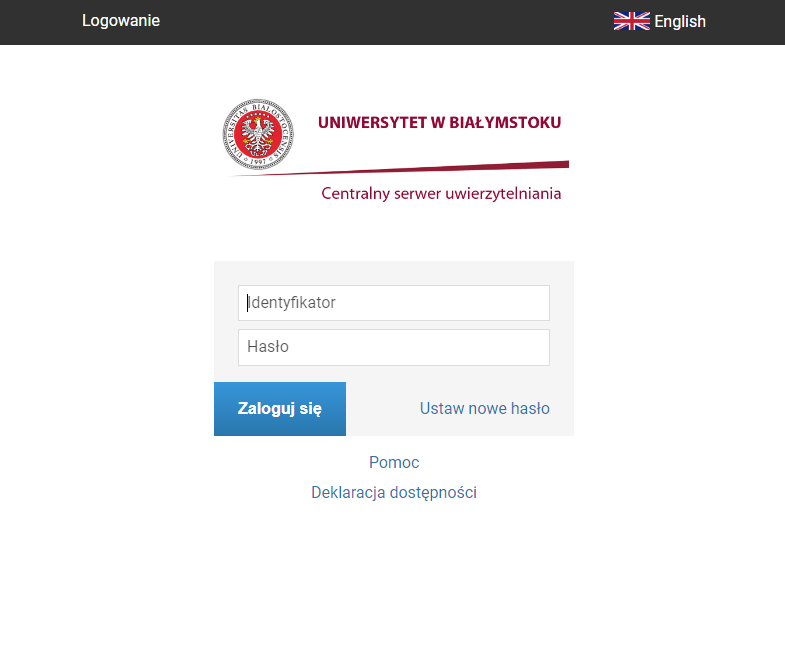
- You will be redirected to the UwB CAS system. Sign in with your CAS credentials.
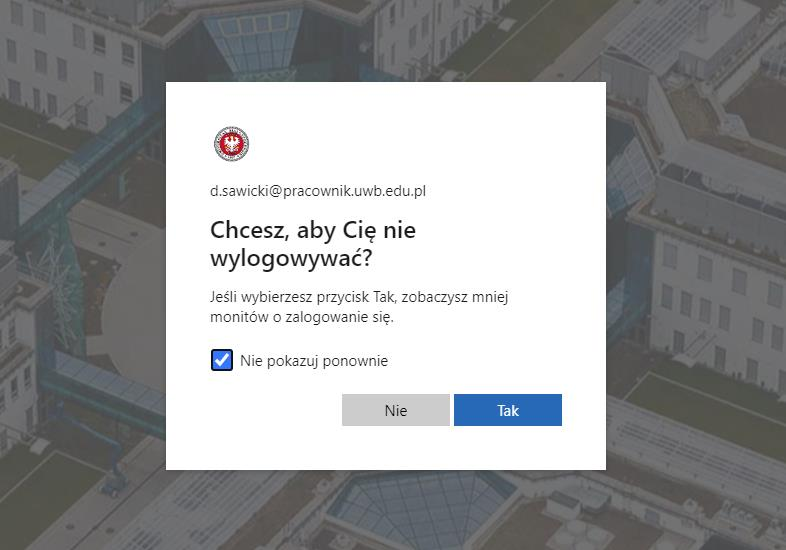
- If Microsoft asks whether you want to stay signed in, choose No on shared or public computers.
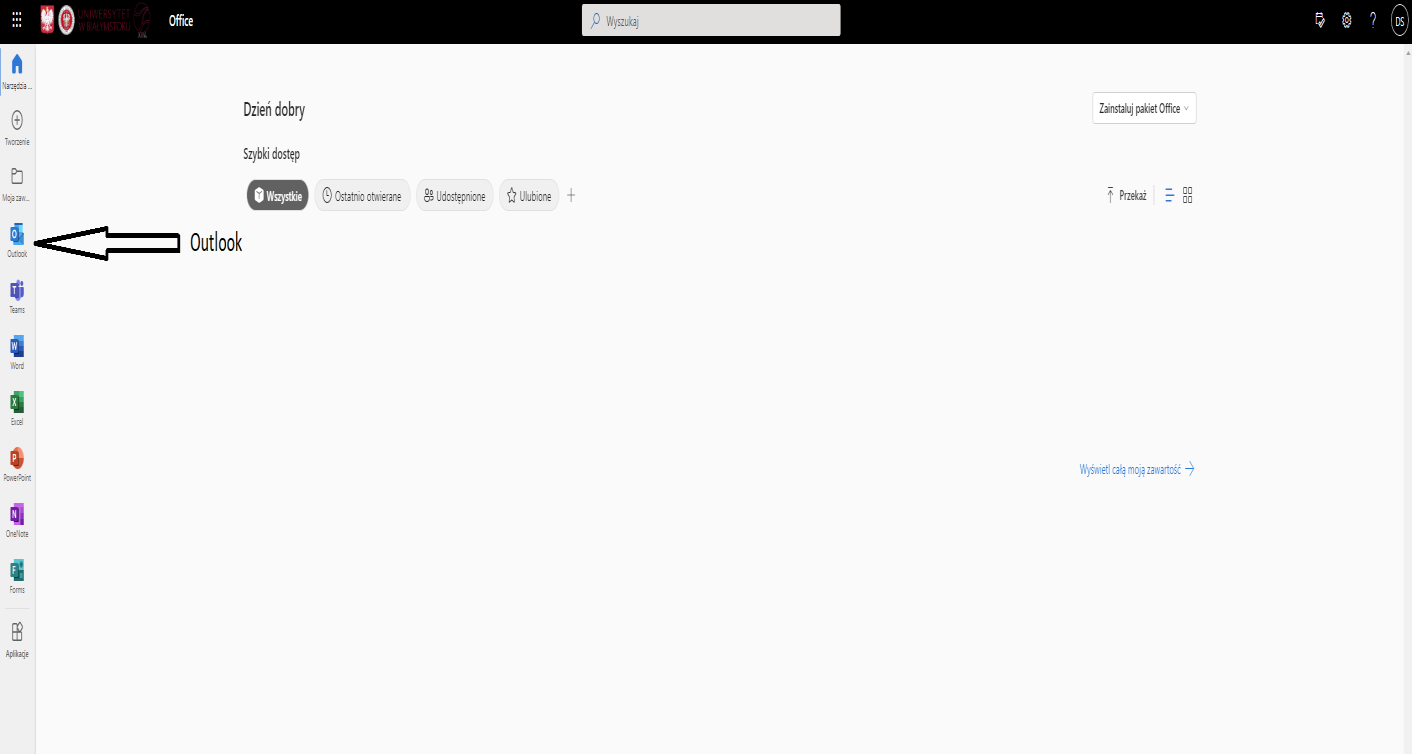
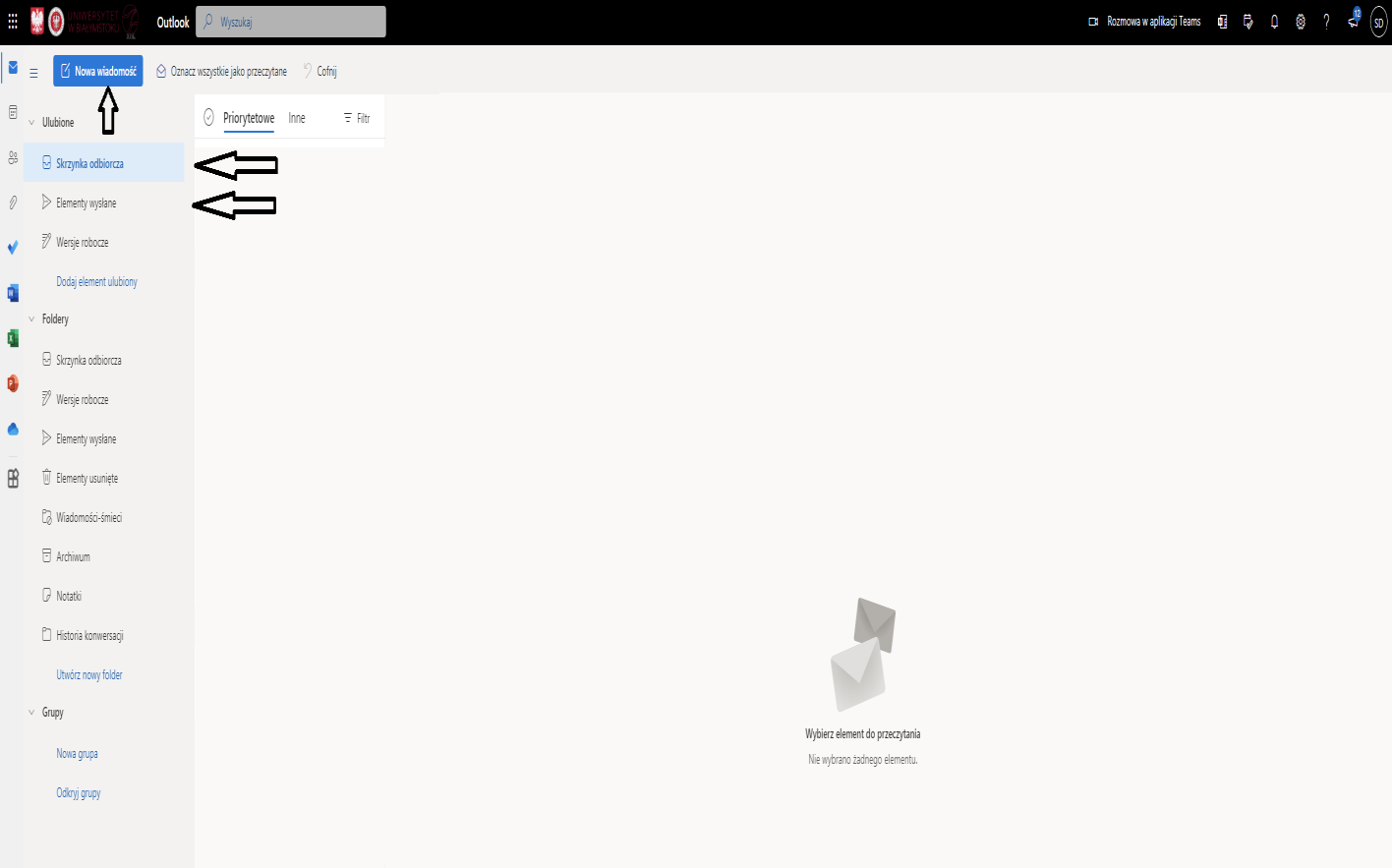
- After signing in, select Outlook from the Microsoft 365 app launcher.
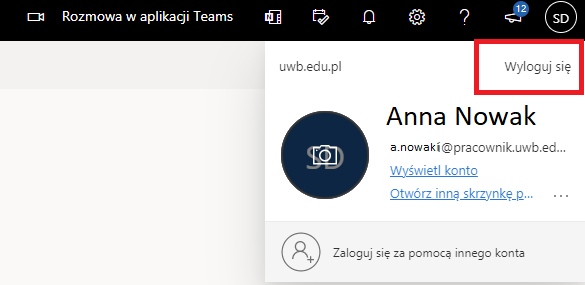
- When finished, sign out using the profile menu in the upper-right corner.
CAS sign-in problems
If the problem is specifically related to CAS authentication, contact the University unit responsible for application accounts and CAS access.